Tomodachi style
A Mii Maker
By ThatOneGuy684
Try a Tomodachi-style editor with face paint, random designs, and save codes.
Open makerBuild a familiar Mii-style character in PrinceMatthew9998’s Scratch editor. Start a new avatar or load a previous creation, then experiment with its appearance. This version includes the creator’s save-code system, so you can keep a design and return to it later.
Created by PrinceMatthew9998 on Scratch.
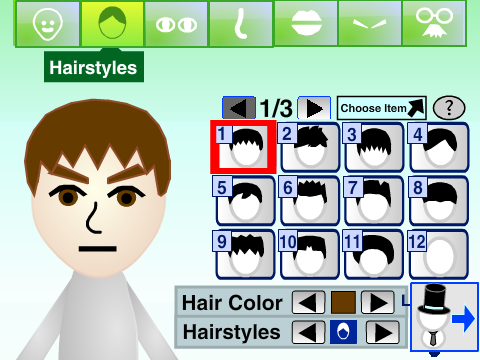
Press the green flag in the player to start.
Player not loading? Open this project on Scratch (opens in a new tab)
Save the complete code produced by the editor in a text document. Reopening this page alone does not replace keeping your code.
To continue editing, restart the project, select Load Your Character, and enter your code.
Old-version codes are accepted by this updated project, according to the creator. Codes created here are not guaranteed to work in the old version.
This is PrinceMatthew9998’s updated version. The creator keeps an older project available separately and says this version can read its older save codes.
The save code is intended for this Scratch editor. It is not a Nintendo Mii QR code or a confirmed console-compatible file.
This fan-made editor is by PrinceMatthew9998. View the original project and credits on Scratch. Mii and Nintendo trademarks belong to Nintendo. This website and these Scratch projects are not affiliated with Nintendo.
Find a different style or a new way to create your character.
Tomodachi style
By ThatOneGuy684
Try a Tomodachi-style editor with face paint, random designs, and save codes.
Open maker
Outfits & avatars
By Medericoder
Mix avatar parts and outfits, share save codes, and compose a screenshot.
Open maker
Character data
By FreckleMole
Build a Mii-style character and explore an editor with copyable character data.
Open maker