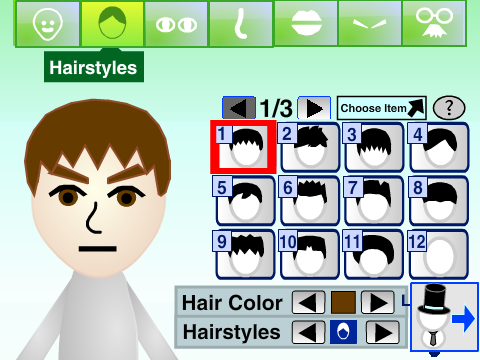
Classic style
Online Mii Maker on Scratch
By PrinceMatthew9998
Create a classic Mii-style avatar and keep a save code to edit it later.
Open makerFreckleMole’s Mii Maker combines character editing with a data-sharing workflow. Choose a starting style, customize your avatar, then use Export Mii to generate a hexadecimal character code. It is an option for visitors interested in keeping and experimenting with Mii data.
Created by FreckleMole on Scratch.
Export Mii displays a copyable data code. Do not expect a .charinfo file to download automatically.
Press the green flag in the player to start.
Player not loading? Open this project on Scratch (opens in a new tab)
The embedded project displays a hexadecimal code in its Result list, together with instructions to double-click and copy it. Keep the complete value, even if the list visually shortens it.
To import data, choose Import your own at the starting screen and supply the requested .charinfo hexadecimal data.
The creator describes .charinfo compatibility with some external Mii tools. A direct .charinfo file download and compatibility with specific external tools have not been verified here.
The project warns that avatars using its blue-marked extra features can only be used within this project. Keep that limitation in mind before sharing data elsewhere.
The embedded workflow checked here displays a hexadecimal code for copying. It does not establish a one-click .charinfo file download.
Compatibility depends on the receiving tool. The project specifically warns that blue-marked extra features are only usable here, and transfer to Nintendo consoles has not been verified.
This fan-made editor is by FreckleMole. View the original project and credits on Scratch. Mii and Nintendo trademarks belong to Nintendo. This website and these Scratch projects are not affiliated with Nintendo.
Find a different style or a new way to create your character.
Classic style
By PrinceMatthew9998
Create a classic Mii-style avatar and keep a save code to edit it later.
Open maker
Tomodachi style
By ThatOneGuy684
Try a Tomodachi-style editor with face paint, random designs, and save codes.
Open maker
Outfits & avatars
By Medericoder
Mix avatar parts and outfits, share save codes, and compose a screenshot.
Open maker